Cloud EHR vs. On-Premise EHR: The Definitive Comparison for 2026
An objective, evidence-based analysis of both deployment models — with specific cost figures, security benchmarks, and practical recommendations based on your practice size and specialty.
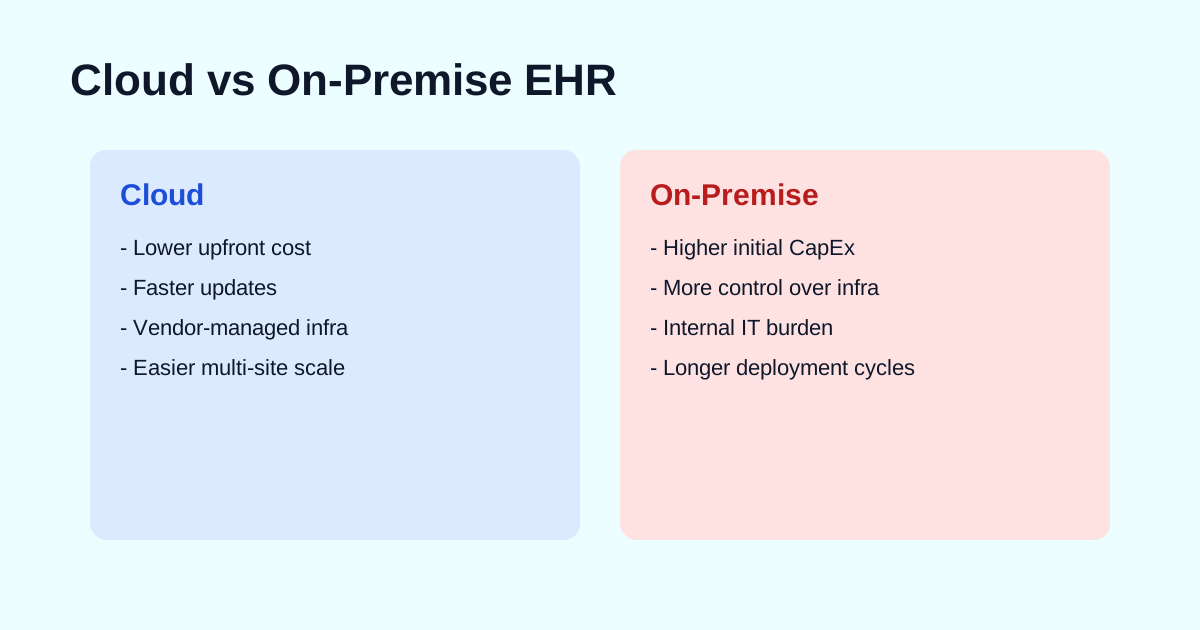
Key Takeaways
- Cloud EHR now accounts for roughly 80% of new EHR purchases — but on-premise still serves 30-40% of the installed base.
- Over 5 years, cloud EHR costs a solo practice approximately $58,000 vs. $48,000 for on-premise — but the on-premise figure excludes IT labor, which flips the equation.
- Healthcare data breaches hit a record 725 incidents in 2023. Cloud vendors' centralized security infrastructure patches vulnerabilities faster than most in-house IT teams.
- Cloud implementation averages 2-4 months for small practices; on-premise adds 1-3 months for infrastructure setup.
- The 21st Century Cures Act and TEFCA are accelerating cloud adoption by requiring open APIs and interoperability that cloud platforms deliver more naturally.
Cloud vs. On-Premise at a Glance
The deployment model you choose for your electronic health record system determines far more than where your data lives. It shapes your cost structure for the next decade, defines who is responsible for security, controls how fast you can scale, and influences how quickly you'll have access to new features like AI-powered clinical documentation and FHIR-based interoperability.
This isn't a decision you can easily reverse. Migrating between deployment models is a significant project — typically 6-12 months of planning, data migration, retraining, and workflow adjustment. Getting it right the first time saves your organization hundreds of hours and tens of thousands of dollars.
This guide presents an objective comparison based on real cost data, published security benchmarks, and implementation timelines from actual healthcare deployments. We don't have a financial relationship with any EHR vendor — our only goal is helping you make an informed decision.
Where the Market Stands in 2026
The EHR market has crossed a clear inflection point. The global EHR market is projected to reach approximately $47 billion by 2030, growing at a compound annual rate of 5-6% (Grand View Research). Cloud-based systems are driving the majority of that growth.
Key market data points:
- 96% of non-federal acute care hospitals have adopted a certified EHR (ONC, 2024). Adoption is essentially universal.
- ~80% of new EHR purchases are cloud-based, according to KLAS Research and Black Book survey data.
- 44% of practices that switched EHRs cited an unresponsive vendor as the primary reason (Black Book). Deployment model affects vendor responsiveness — cloud vendors push updates centrally, while on-premise often requires scheduled service visits.
- Epic Systems holds ~38-44% ambulatory market share (Definitive Healthcare), and even Epic — historically on-premise — launched its cloud offering (Epic Hosted) and is investing in Azure-based deployments.
- Oracle Health (Cerner) is migrating its entire platform to Oracle Cloud Infrastructure, signaling the industry's direction.
The trend is unmistakable: the market is moving to cloud. But trends don't make decisions for individual practices — your specific situation does. Let's break down what each model actually entails.
Cloud EHR: How It Works
A cloud-based EHR (also called SaaS EHR or hosted EHR) runs on servers owned and managed by the vendor or a cloud infrastructure provider — typically Amazon Web Services (AWS), Microsoft Azure, or Google Cloud Platform (GCP). You access the application through a web browser or dedicated client app, and the vendor takes responsibility for the underlying infrastructure.
How the Architecture Works
In a cloud deployment, the vendor operates a multi-tenant or single-tenant environment:
- Multi-tenant — Multiple practices share the same application instance with logically separated data. This is the most common model (athenahealth, DrChrono, AdvancedMD). It's cheaper because infrastructure costs are shared, and the vendor can push updates to all customers simultaneously.
- Single-tenant — Your practice gets a dedicated application instance. More expensive but offers greater isolation and customization options. Some enterprise vendors (Epic Hosted, Oracle Health Cloud) use this model.
Regardless of tenancy, your data is encrypted at rest (AES-256 is standard) and in transit (TLS 1.2+). The vendor manages server provisioning, load balancing, database administration, backup scheduling, disaster recovery failover, and software updates.
What Cloud Vendors Handle for You
- Infrastructure maintenance — Server patching, OS updates, database tuning, storage scaling
- Security operations — Firewall management, intrusion detection, vulnerability scanning, DDoS protection
- Backup and disaster recovery — Automated daily backups with geographic replication (data copied to multiple data centers)
- Software updates — New features, bug fixes, and regulatory changes (ICD code updates, CMS rule changes) deployed automatically
- Uptime monitoring — 99.9%+ SLA commitments from most major vendors, with automatic failover if a server goes down
Leading Cloud EHR Vendors
- athenahealth — Cloud-native since 2004. Serves 160,000+ providers. Known for strong revenue cycle management and a network-learning model that benchmarks your practice against peers.
- AdvancedMD — Cloud-based EHR and practice management for independent practices. Acquired by Global Payments in 2018.
- DrChrono (Tebra) — Cloud and iPad-first EHR popular with small practices. Now part of the Tebra platform after merging with Kareo.
- eClinicalWorks — Serves 150,000+ providers. Cloud deployment available alongside client-server option.
- AZZLY Rize — Cloud-native, purpose-built for behavioral health and substance abuse treatment.
On-Premise EHR: How It Works
An on-premise (sometimes called "self-hosted" or "client-server") EHR runs on servers physically located in your facility — typically a server room or on-site data closet — or in a co-location data center that you lease. Your organization owns the hardware and is responsible for its operation.
Infrastructure Requirements
Running an on-premise EHR requires a non-trivial technology stack:
- Server hardware — Typically 1-3 physical servers for small practices, scaling to dozens for large health systems. Budget $5,000-$25,000+ for initial hardware.
- Network infrastructure — Managed switches, firewall appliance, UPS (uninterruptible power supply), and ideally redundant internet connections.
- Database licenses — Many on-premise EHRs run on Microsoft SQL Server, which carries its own licensing cost ($3,500-$15,000+ depending on edition).
- Backup system — On-site backup (NAS or tape) plus off-site replication for disaster recovery. HIPAA requires tested backup and recovery procedures.
- Physical security — Locked server room, climate control, fire suppression, and access logging per HIPAA Physical Safeguard requirements.
Your Team's Ongoing Responsibilities
- Patching and updates — OS patches, database patches, EHR application updates, and antivirus signature updates. Falling behind on patches is the #1 cause of breachable vulnerabilities.
- Backup verification — Running backups isn't enough. You must regularly test restores to verify data integrity. HIPAA requires documented backup testing.
- Monitoring — Disk space, CPU utilization, memory, and database performance all need proactive monitoring. A full disk or memory leak can bring the EHR down during business hours.
- Security incident response — If you detect unusual activity, your team needs a response plan. Average cost of a healthcare data breach: $10.93 million (IBM, 2023).
- Hardware lifecycle management — Servers typically need replacement every 3-5 years. This means another capital expenditure, data migration, and potential downtime.
Where On-Premise Still Dominates
Despite the cloud trend, on-premise holds strong in certain environments:
- Large health systems and academic medical centers — Organizations with 500+ beds and dedicated IT departments often run Epic or Oracle Health on-premise with extensive customization.
- Government and military healthcare — VA hospitals and DoD facilities have data sovereignty requirements that mandate on-premise or government-cloud deployment.
- Rural areas with unreliable internet — On-premise EHR can function during internet outages. Cloud-dependent systems cannot (though most now have limited offline modes).
Side-by-Side Feature Comparison
| Criteria | Cloud EHR | On-Premise EHR |
|---|---|---|
| Upfront Cost | Low — Setup + training ($1K-$10K) | High — Licenses + hardware ($15K-$70K+) |
| Ongoing Monthly Cost | $150-$700/provider/month | $50-$200/provider/month (maintenance + IT labor) |
| IT Staff Required | Minimal — Vendor manages infrastructure | Dedicated — In-house or MSP ($60K-$120K/yr) |
| Security Responsibility | Shared: vendor handles infrastructure, you handle access controls | Entirely your organization (or your MSP) |
| Software Updates | Automatic — Vendor-managed, always current | Manual — Scheduled by your IT team |
| Data Control | Logical control; physical hosting by vendor | Full — Physical and logical control |
| Remote / Mobile Access | Native — Any browser, any device | Requires VPN or Citrix/RDP setup |
| Scalability | Elastic — Add users/locations instantly | Hardware-limited — Requires capacity planning |
| Customization Depth | Moderate — Within vendor's configuration options | Deep — Full control over code and database |
| Internet Dependency | Required — Outage = downtime (some have limited offline) | Optional — Can function on LAN only |
| Disaster Recovery | Built-in — Geo-redundant, vendor-managed | Your responsibility — Must configure and test |
| Implementation Speed | Faster — 2-4 months typical | Slower — 4-8 months typical |
| Contract Lock-in Risk | Moderate — Data portability varies by vendor | Lower — You own the data and infrastructure |
Total Cost of Ownership: A Realistic Analysis
Surface-level cost comparisons are misleading. ehrinpractice.com famously cited a 5-year TCO of $58,000 for cloud vs. $48,000 for on-premise for a single-provider practice — making on-premise look cheaper. But that figure excluded IT labor costs, which are the single largest hidden expense in on-premise deployments.
Here's a more complete picture:
Solo Practice (1 Provider) — 5-Year TCO
| Cost Category | Cloud | On-Premise |
|---|---|---|
| Software license / subscription | $48,000 | $15,000 |
| Setup & implementation | $3,000 | $8,000 |
| Server hardware | $0 | $8,000 |
| Annual maintenance & support | Included | $12,500 |
| IT support (MSP or part-time) | $2,500 | $30,000 |
| Hardware refresh (year 4) | $0 | $6,000 |
| Training | $2,000 | $2,000 |
| 5-Year Total | $55,500 | $81,500 |
Note: Cloud subscription assumes $800/month average. On-premise IT support assumes $500/month MSP contract for server monitoring, patching, and break-fix. Actual costs vary significantly by vendor and region.
Mid-Size Practice (10 Providers) — 5-Year TCO
| Cost Category | Cloud | On-Premise |
|---|---|---|
| Software | $300,000 | $75,000 |
| Setup & implementation | $15,000 | $35,000 |
| Server hardware & networking | $0 | $25,000 |
| Annual maintenance & support | Included | $50,000 |
| IT staff / MSP | $10,000 | $300,000 |
| Hardware refresh (year 4) | $0 | $18,000 |
| Training | $12,000 | $12,000 |
| 5-Year Total | $337,000 | $515,000 |
On-premise IT staff assumes a part-time dedicated system administrator at $60K/yr. At 25+ providers, organizations often need a full-time resource.
The bottom line: When you include the real cost of IT labor — which is the cost that on-premise TCO analyses most often undercount — cloud wins at every practice size up to roughly 100 providers. Above that, on-premise can become cost-competitive if you already have an IT department serving multiple systems, but the gap is narrowing as cloud vendors offer enterprise volume discounts.
Security & HIPAA Compliance
Security is where the cloud vs. on-premise debate generates the most heat and the least light. Let's separate fact from assumption.
The Data on Healthcare Breaches
The HHS Office for Civil Rights reported a record 725 healthcare data breaches affecting 500+ individuals in 2023, exposing over 133 million records. The leading attack vectors were:
- Hacking/IT incidents — 79% of breaches (ransomware, phishing, unpatched vulnerabilities)
- Unauthorized access — 11% (insider threats, lost devices)
- Theft — 5% (stolen laptops, drives)
Many of the largest breaches involved on-premise systems with unpatched software or misconfigured network defenses. This isn't because on-premise is inherently less secure — it's because maintaining enterprise-grade security is a full-time job that most practices don't resource adequately.
Cloud Security: What You Actually Get
Cloud EHR vendors hosting on AWS, Azure, or GCP inherit the security posture of platforms that invest billions annually in security. Specific capabilities:
- SOC 2 Type II certification — Continuous third-party audit of security controls
- HITRUST CSF certification — Healthcare-specific security framework that maps to HIPAA, NIST, and ISO 27001
- Encryption — AES-256 at rest, TLS 1.2+ in transit. Most vendors also offer customer-managed encryption keys (CMEK)
- 24/7 SOC monitoring — Security operations center with automated threat detection and response
- Automated patching — Critical security patches deployed within hours, not weeks
- Penetration testing — Annual or continuous third-party penetration testing with published results
- BAA coverage — All major cloud platforms (AWS, Azure, GCP) sign HIPAA Business Associate Agreements
On-Premise Security: The Reality Check
On-premise gives you maximum control. But control is only an advantage if you exercise it. Ask yourself:
- Is someone applying OS and application patches within 48 hours of release?
- Do you have a next-generation firewall with intrusion prevention — and is someone monitoring the alerts?
- Are you running regular vulnerability scans and acting on the findings?
- Do you have a tested incident response plan?
- Are your backups encrypted, offsite, and tested quarterly?
- Have you conducted a HIPAA Security Risk Assessment in the past year?
If the answer to any of these is "no" or "I'm not sure," your on-premise environment likely has a weaker security posture than what a reputable cloud EHR vendor provides by default.
Important: HIPAA doesn't require a specific deployment model. Both cloud and on-premise can be HIPAA compliant. What HIPAA requires is that appropriate administrative, physical, and technical safeguards are in place. The deployment model determines who is responsible for implementing those safeguards — not whether they're achievable.
Performance & Reliability
Uptime
Cloud EHR vendors typically guarantee 99.9% uptime in their SLA — approximately 8.7 hours of downtime per year. In practice, the major cloud infrastructure providers (AWS, Azure) deliver 99.95-99.99% uptime. Most scheduled maintenance windows happen overnight with zero-downtime deployment strategies.
On-premise uptime depends entirely on your infrastructure. A single power outage, hardware failure, or network issue can take the system down during business hours. Without redundant servers (which doubles your hardware cost), a failed hard drive means hours or days of downtime while you restore from backup.
Response Time
On-premise has a natural latency advantage: data travels over your local network (sub-millisecond) rather than to a remote data center (20-80ms). For most EHR operations — charting, ordering, scheduling — the difference is imperceptible. Where it matters:
- Large report generation — On-premise may be faster for complex analytics queries over large datasets
- Image-heavy workflows — Radiology PACS or pathology image viewers benefit from LAN speeds
- Bulk data operations — Year-end reporting, large batch claims processing
For standard clinical workflows, cloud EHR response times are well within acceptable range (under 2 seconds for page loads). If your internet is unreliable, cloud becomes riskier — this is one of the strongest remaining arguments for on-premise in rural settings.
Interoperability & Data Exchange
The regulatory landscape has shifted heavily in cloud's favor. The 21st Century Cures Act and the ONC Information Blocking Rule (effective April 2021) require EHR vendors to support standardized APIs for data exchange — specifically FHIR (Fast Healthcare Interoperability Resources) R4.
Cloud-native EHRs generally have a significant advantage here:
- FHIR APIs — Cloud platforms expose RESTful FHIR endpoints that third-party apps can query. On-premise systems often require custom interface engines (Mirth Connect, Rhapsody) to achieve the same result.
- TEFCA participation — The Trusted Exchange Framework and Common Agreement enables nationwide health information exchange. Cloud EHRs that participate in recognized networks (Carequality, CommonWell) can exchange data with any other participating provider.
- App marketplace — Vendors like athenahealth and Epic offer SMART on FHIR app marketplaces where third-party applications plug into the EHR. This is much harder to achieve with an on-premise deployment that sits behind a firewall.
If interoperability is a strategic priority — and in 2026, it should be — cloud has a clear structural advantage.
Implementation Timelines
Implementation speed is one of cloud's most practical advantages. Here's a realistic breakdown:
| Phase | Cloud | On-Premise |
|---|---|---|
| Infrastructure setup | 0 weeks (vendor-provided) | 4-12 weeks |
| Configuration & customization | 2-4 weeks | 3-6 weeks |
| Interface build & testing | 2-4 weeks | 4-8 weeks |
| Data migration | 2-6 weeks | 2-6 weeks |
| Training | 2-4 weeks | 2-4 weeks |
| Go-live + stabilization | 1-2 weeks | 1-2 weeks |
| Total (small practice) | 2-4 months | 4-8 months |
| Total (enterprise) | 6-12 months | 9-24 months |
The difference is primarily in infrastructure setup and interface complexity. Cloud vendors have pre-built integrations with major labs, pharmacies, and clearinghouses that work out of the box. On-premise requires more custom interface engineering. See our complete EHR implementation checklist for detailed phase-by-phase planning guidance.
Recommendations by Practice Size
Solo & Small Practices (1-5 Providers)
Recommendation: Cloud EHR
No question. You don't have IT staff, you can't afford the upfront hardware investment, and you need to focus on patient care — not server maintenance. Cloud EHR gives you enterprise-grade infrastructure at a predictable monthly cost. Look at athenahealth, DrChrono (Tebra), AdvancedMD, or specialty-specific options like AZZLY Rize for behavioral health.
Mid-Size Practices (6-25 Providers)
Recommendation: Cloud EHR (strong)
Cloud remains the clear winner. At this size, the subscription costs are significant but still lower than on-premise TCO when you factor in IT labor. The scalability advantage matters more as you grow — adding new providers or satellite locations with cloud is trivial. Consider athenahealth, eClinicalWorks, or NextGen Healthcare.
Large Practices & Health Systems (25-100+ Providers)
Recommendation: Evaluate both — cloud is usually still best, but run the numbers
At this scale, you likely have IT staff already. The cost equation tightens, and customization requirements may favor on-premise. But consider: even Epic and Oracle Health are moving their platforms to cloud. The long-term direction is clear. If you're making a new purchase (not upgrading an existing on-premise system), cloud is usually the right strategic bet. If you have a working on-premise system with a strong IT team, the case for migration is less urgent.
Hospitals & Academic Medical Centers (100+ Providers)
Recommendation: Cloud or hybrid, depending on legacy systems
At hospital scale, you're choosing between Epic, Oracle Health, and MEDITECH — all of which now offer cloud or hosted deployment. For new implementations, cloud/hosted is the default recommendation. For existing on-premise deployments, most organizations are planning phased cloud migrations over 3-5 year horizons rather than immediate cutover.
Migrating from On-Premise to Cloud
If you're currently running an on-premise EHR and considering cloud, here's what the migration path looks like:
- Assess your current state — Inventory all data, interfaces, customizations, and third-party integrations. Document what must migrate vs. what can be archived.
- Select the cloud vendor — Don't assume you'll stay with the same vendor. A platform switch is often the right time to evaluate alternatives. Use our EHR selection process guide for a structured approach.
- Plan data migration — Extract data from your current system, map it to the new platform's schema, clean duplicates, and run test migrations. Budget at least 2 test migrations before cutover.
- Rebuild interfaces — Lab, pharmacy, imaging, and clearinghouse connections all need to be established with the new cloud vendor. Most have pre-built integrations that simplify this.
- Train staff — Don't underestimate this. Budget more time than you think. See our implementation checklist for training best practices.
- Run parallel systems — For 1-2 weeks, run both systems simultaneously to catch migration issues before decommissioning on-premise.
- Decommission and archive — Keep your old server accessible (read-only) for 6-12 months to reference historical data that may not have migrated completely.
Budget for a 10-25% temporary productivity dip during the first 2-4 weeks on the new system. This is normal and expected — plan for reduced patient volume during go-live week.
Frequently Asked Questions
Is cloud EHR HIPAA compliant?
Yes. Cloud EHR systems can be fully HIPAA compliant. The vendor must sign a Business Associate Agreement (BAA), encrypt data at rest and in transit, maintain access controls, and conduct regular risk assessments. Major cloud platforms like AWS, Microsoft Azure, and Google Cloud all offer HIPAA-eligible services and will sign BAAs. The key is selecting a vendor whose cloud infrastructure and practices meet HIPAA Security Rule requirements.
How much does a cloud EHR cost per month?
Cloud EHR pricing typically ranges from $150 to $700 per provider per month, depending on the vendor, included modules (e.g., practice management, billing, telehealth), and practice size. Some vendors like DrChrono start around $200/month per provider, while full-featured platforms like athenahealth range from $350-$700. Most cloud EHRs charge setup and training fees of $1,000-$5,000 on top of the monthly subscription. See our complete EHR cost guide for detailed pricing breakdowns by vendor.
What happens to my data if a cloud EHR vendor goes out of business?
This is a legitimate concern. Before signing a contract, verify the vendor's data portability provisions. Your contract should include: (1) a data export clause guaranteeing you can export records in a standard format (C-CDA, CSV, or FHIR), (2) a data retention period after contract termination (typically 30-90 days), and (3) an escrow arrangement for the source code and data if the vendor ceases operations. Under the 21st Century Cures Act, vendors are prohibited from information blocking, which supports your right to access and export your data.
Can I switch from on-premise to cloud EHR?
Yes, and many practices are doing exactly this. A migration from on-premise to cloud EHR typically takes 3-9 months depending on the volume of data, number of interfaces, and complexity of your workflows. The process involves data extraction from your current system, data mapping and cleansing, test migration, parallel running, and cutover. Budget for temporary productivity loss of 10-25% during the first 2-4 weeks post-migration.
Is on-premise EHR more secure than cloud EHR?
Not necessarily. On-premise gives you physical control of your data, but security depends on your team's ability to maintain it. Healthcare organizations experienced a record 725 data breaches in 2023, and many involved on-premise systems with unpatched vulnerabilities. Cloud EHR vendors that host on platforms like AWS or Azure benefit from SOC 2, HITRUST, and FedRAMP certifications, 24/7 security monitoring, and dedicated security teams that most practices cannot match. The correct framing: on-premise offers more control, while cloud typically offers stronger baseline security.
The Verdict
For the vast majority of healthcare organizations making a new EHR purchase in 2026, cloud is the right choice. It's cheaper (when you honestly account for IT labor), more secure (for organizations without dedicated security staff), faster to implement, easier to scale, and better positioned for the interoperability requirements that regulators are mandating.
On-premise retains a legitimate role for large health systems with established IT departments, organizations with specific data sovereignty requirements, and practices in areas with unreliable internet connectivity. But even in these scenarios, the question is increasingly "when will we migrate to cloud?" rather than "should we?"
Whichever model you choose, the critical success factors are the same: thorough implementation planning, adequate training investment, and a vendor who will partner with you beyond go-live. The deployment model matters — but it matters less than getting the fundamentals right.
Next Steps
- → Download our EHR Implementation Checklist — Phase-by-phase planning guide
- → Read the Complete EHR Cost Guide — Detailed pricing by vendor and practice size
- → Compare Behavioral Health EHRs — Specialty-specific vendor comparison
- → Follow our EHR Selection Process — 5-step vendor evaluation framework